
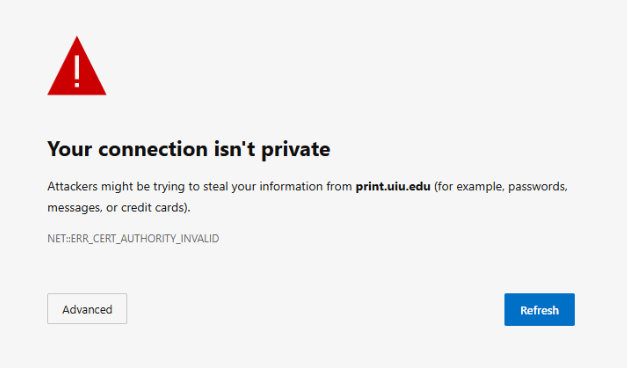
If you are getting an error that says your connection isn't private for print.uiu.edu, please follow the steps below.
For Edge:
1) In the address bar, type in the following: edge://net-internals/#hsts
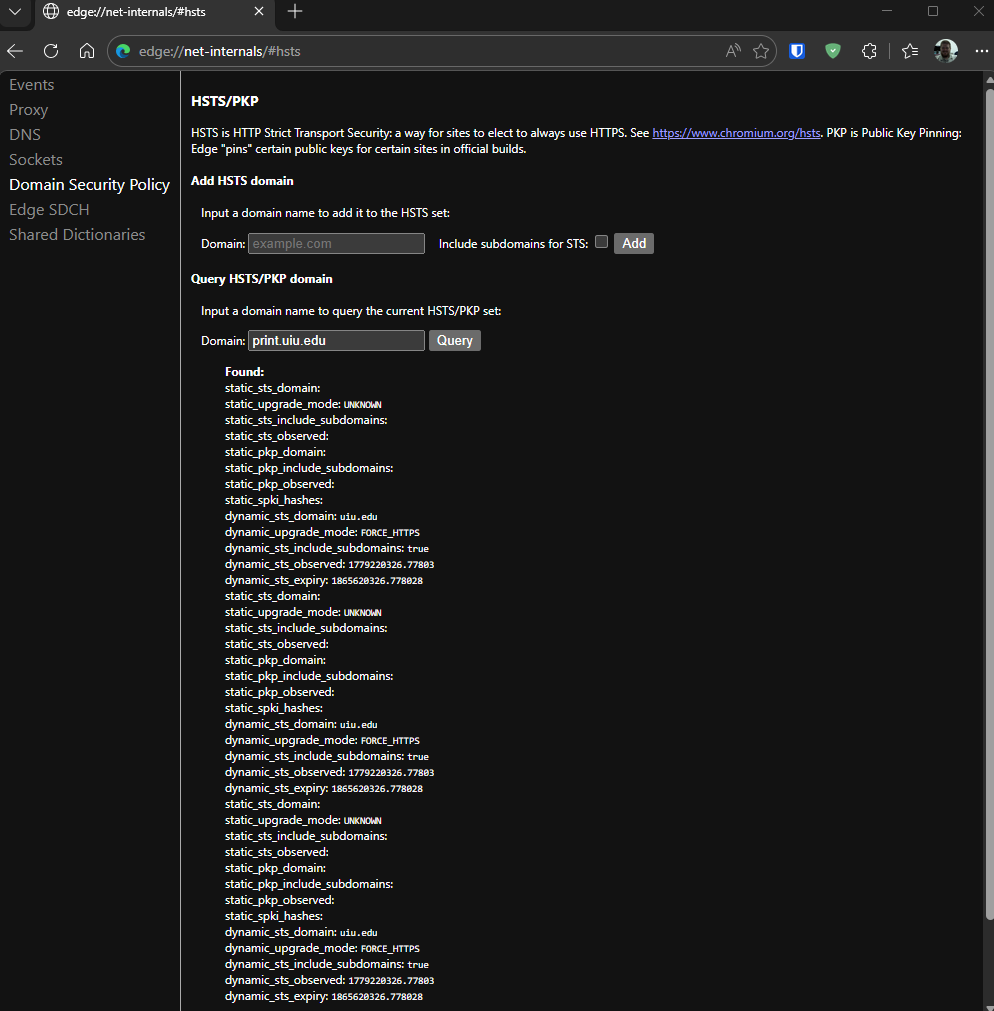
2) Type in print.uiu.edu in the Domain: after Query HSTS/PKP domain and see if there are any entries.
3) Under Delete domain security policies, type in Print.uiu.edu and click on Delete

4) Close the browser tab and re-open https://print.uiu.edu/user link and you should be able to go directly there.
For Chrome:
1) In the address bar of Chrome, type in the following: chrome://net-internals/#hsts
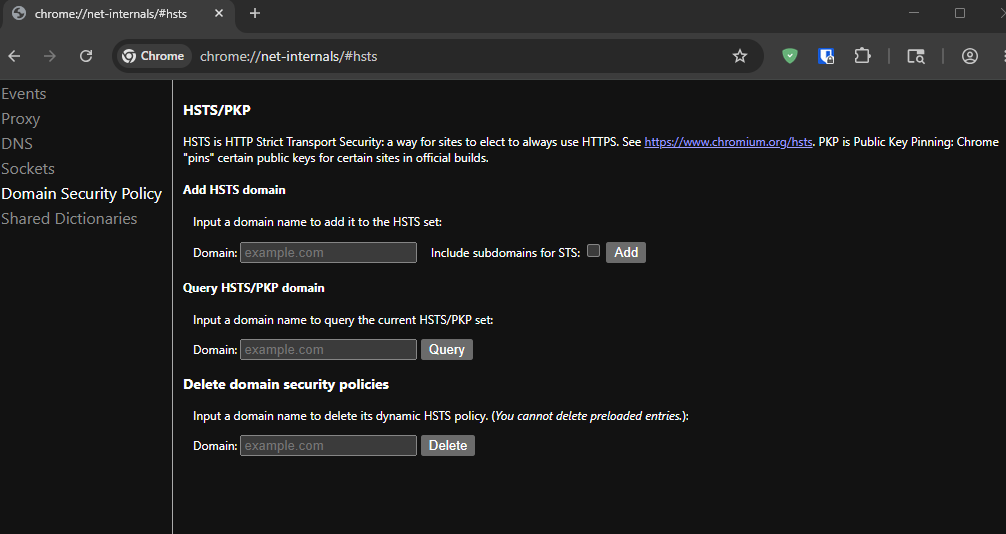
2) Type in print.uiu.edu in the Domain: after Query HSTS/PKP domain and see if there are any entries.
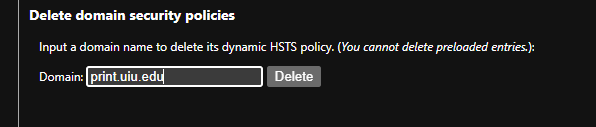
3) Under Delete domain security policies, type in Print.uiu.edu and click on Delete
4) Close the browser tab and re-open https://print.uiu.edu/user link and you should be able to go directly there.