
Resetting Your Password
- Navigate to our website https://uiu.edu/myuiu
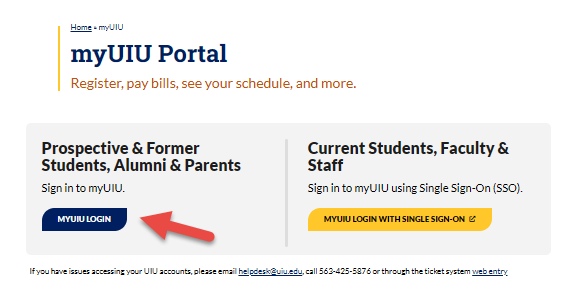
- Select the myUIU Login button under the Prospective & Former Students, Alumni & Parents
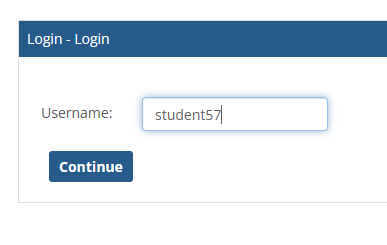
- Enter your Username and select Continue.
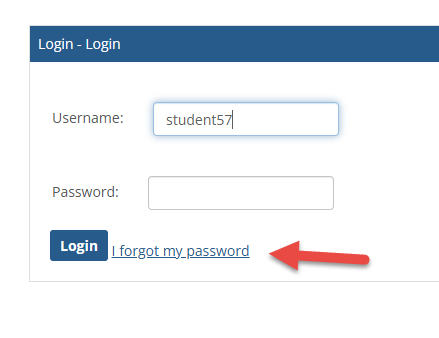
- Select Forgot My Password.
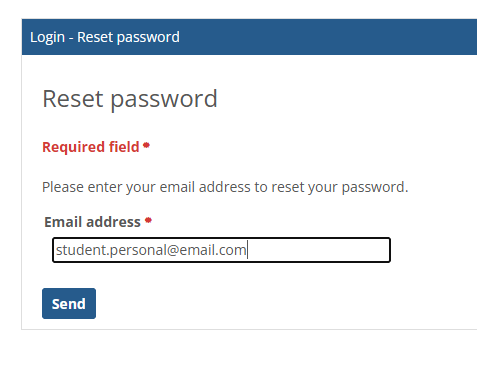
- Enter the personal email address you registered with us (the email address we have on file).
Important:
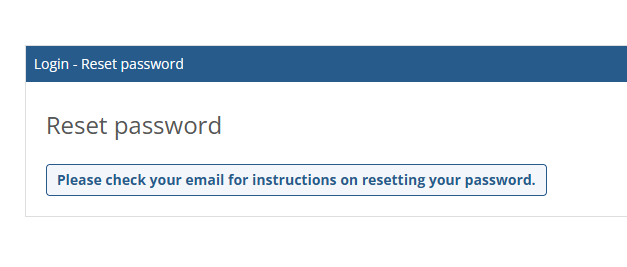
If you enter an email address that is not the one you registered with, you may still receive a message stating, "Check your email for instructions." However, no password reset instructions will be sent to an email address that is not on file.
If you DO NOT receive the password reset email:
- Verify that you entered the correct email address associated with your account.
- Check your spam or junk folder.
- Try another email address you may have registered with.
- If you still do not receive the email, contact the Registrar's Office or your Enrollment Coordinator to update the email address on your account.