
Finding your unofficial transcript in myUIU:
Log into the myUIU portal.
Select the 'Academics' tab

Scroll down until you see the 'Unofficial Transcript' category.
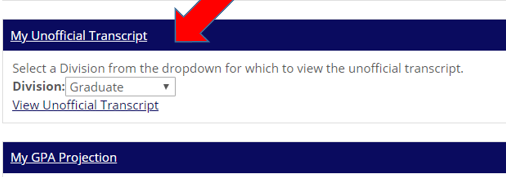
In the drop down box select either 'Graduate' or 'Undergraduate'
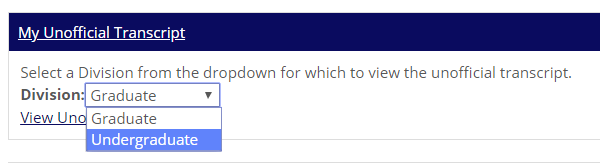
You may be redirected to the 'View Unofficial Transcript' page or you can select the 'View Unofficial Transcript' link located below the drop down box.
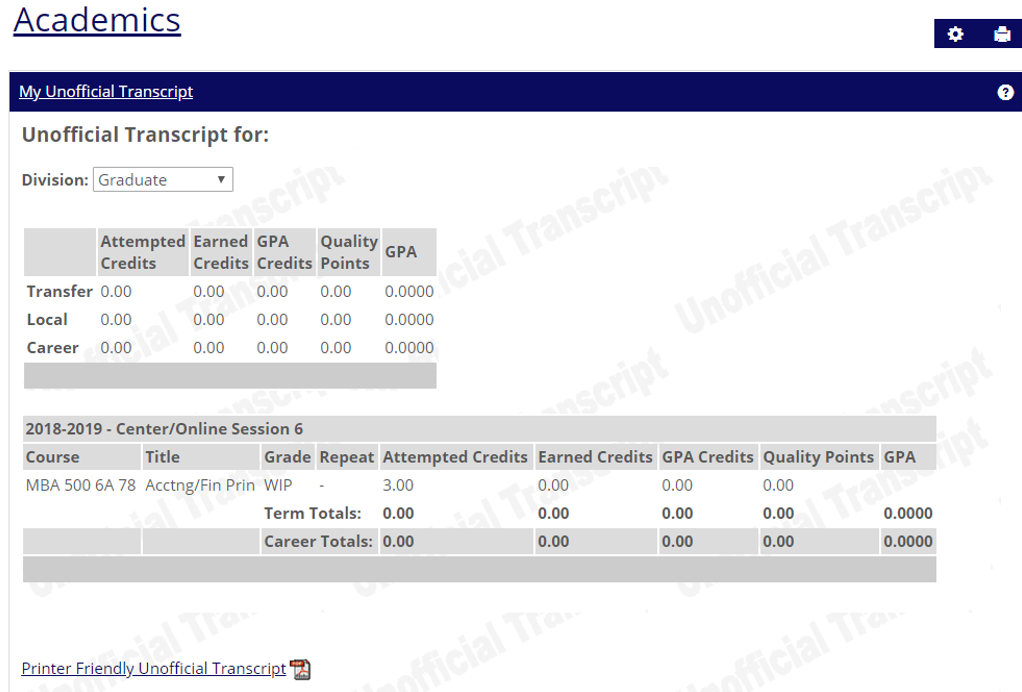
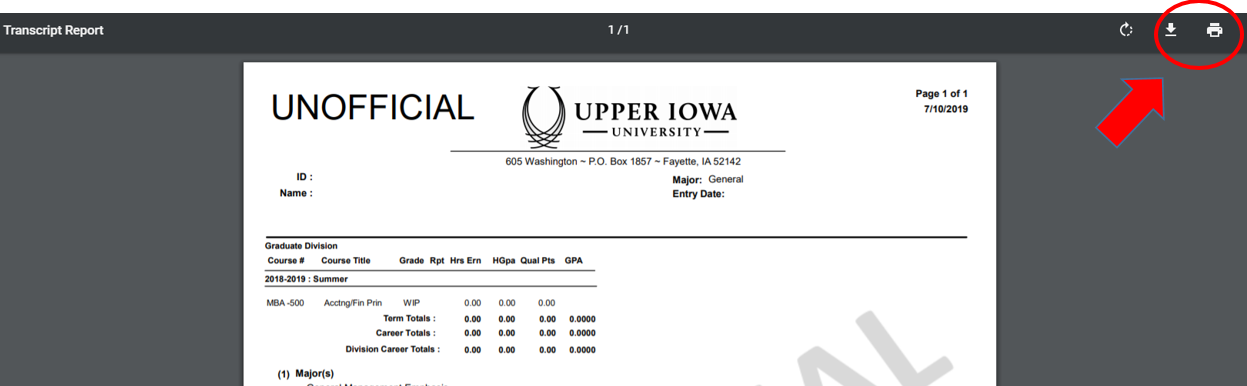
To Save or Print a copy of your Unofficial Transcript select 'Printer Friendly Unofficial Transcript' link. You will have the option to download or print.
Note: For mobile devices, you will need to expand the menu to access the Academics tab.

If you have issues please contact the ITS Helpdesk