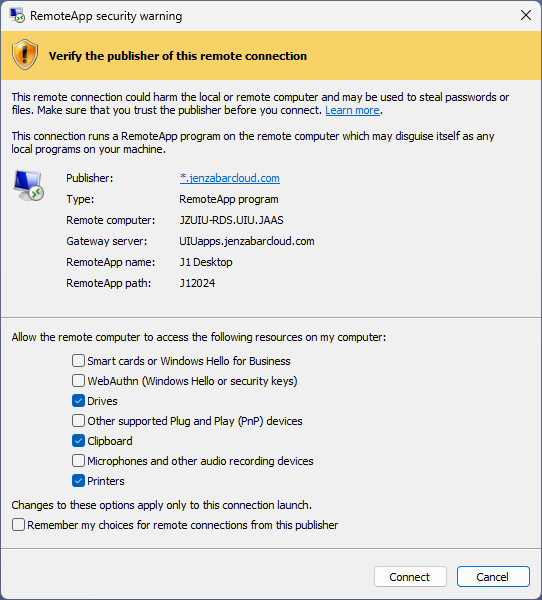
Every time you open an RDP file, a security dialog appears before any connection is made. It shows the remote computer address and a check box for each local resource the file wants to access. Access to all these resources is off by default - you must explicitly enable each one.
For our J1 Desktop (UIU RemoteApp) connection, we suggest the following settings are checked after confirming the prompt is from jenzabarcloud.com:
- Drives
- Clipboard
- Printers and
- Remember my choices for remote connections from this publisher.